Hear it once, have it in writing: live call transcription in Mediabriz
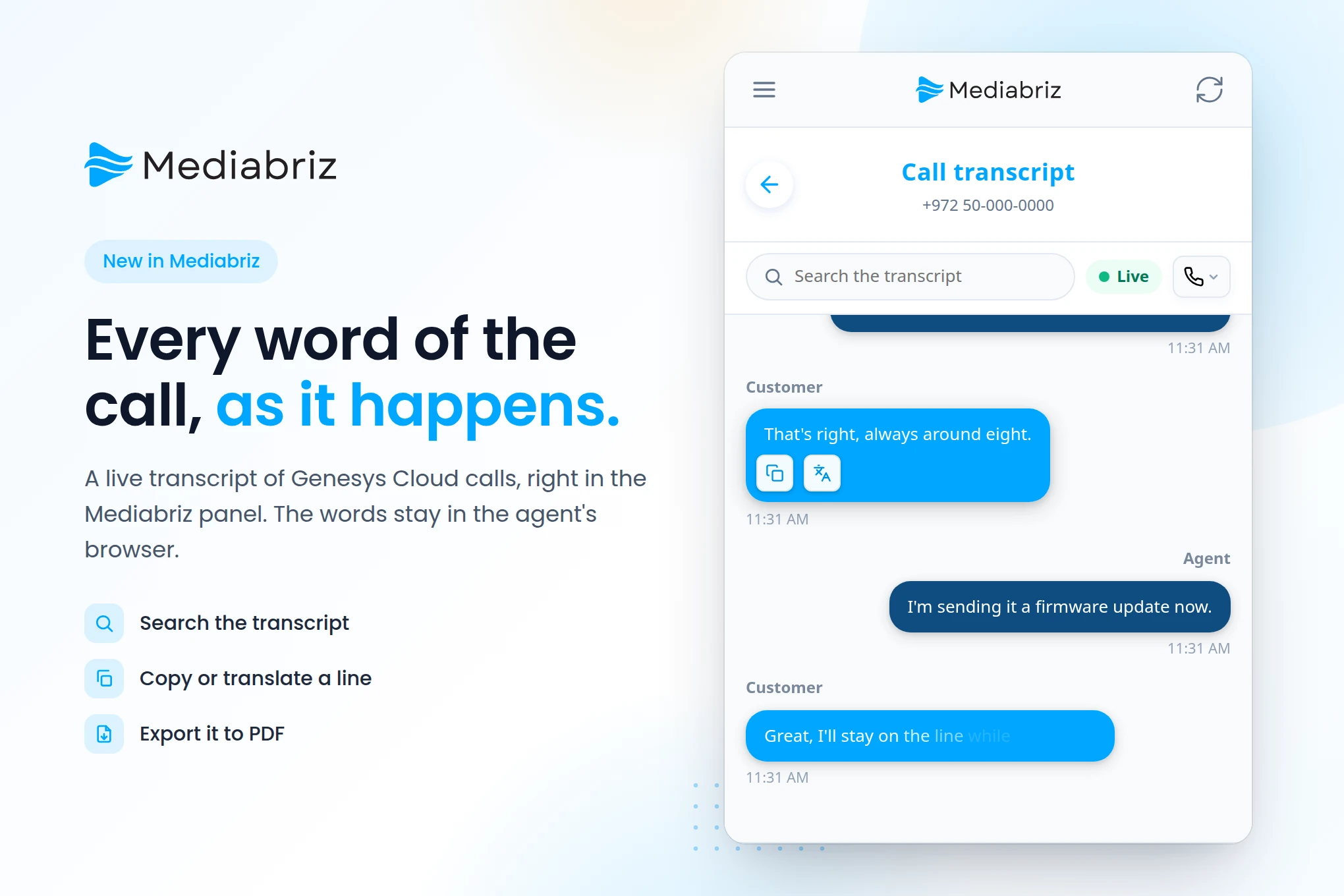
Mediabriz now works with voice as well as digital conversations. During a call, agents see the conversation in writing as Genesys Cloud transcribes it, and can search it, copy a line, translate it and export it to PDF. The words stay in the agent's browser and are never sent to Mediabriz.
“Sorry, could you repeat that order number?” Every contact center leader knows what that sentence costs: a longer call, a customer who feels unheard, and a note typed from memory that is never quite right.
Mediabriz has always given agents the full picture on digital conversations. Now it does the same on voice. With live call transcription, the call is in writing while it is still happening, right in the Mediabriz panel your agents already use.
Every word of the call, as it happens
When an agent takes a call or a callback, the call overview has a new Transcription button. One click, and the conversation appears line by line as Genesys Cloud transcribes it, with the customer’s and the agent’s turns marked and the newest line at the bottom. If the agent scrolls up to check something, the view stays where they are and shows how many new lines have arrived.
Agents stop scribbling and start listening. The account number, the delivery address, the exact words of the complaint: it is all on screen, so nobody has to ask twice.
Search it, copy it, translate it
- Search the transcript. Type “refund”, a product name or a number, and only the matching lines remain, highlighted.
- Copy a line. Put what the customer said straight into your CRM, a case note or a follow-up, without retyping it or mishearing it.
- Translate a line. When a caller switches language, translate the line into the agent’s language, right on the agent’s device.
A record when you need one
Export the call transcript to PDF for a supervisor, a complaint file or a quality review. Administrators stay in control: export follows your organization’s Mediabriz settings and your existing Export to PDF policy.
Every call in Search and Recent
Calls now appear in Search and in Recent beside digital conversations, with the direction, date and time, duration, queue and agent. Search a customer’s phone number across all channels, or choose Voice in the channel filter, and their WhatsApp and SMS conversations and their calls are in one list. Call rows are a record of the contact. They do not open a recording or a transcript.
Private by design
The transcript comes straight from Genesys Cloud to the agent’s browser and stays there, in memory, for the call. It is never sent to Mediabriz, never stored by Mediabriz, and never passed to AI features. Translation runs on the agent’s device too. When the call and its wrap-up end, the transcript is gone. The words leave the browser only when the agent copies a line or exports a PDF.
For Genesys Cloud admins
- Genesys Cloud does the transcribing. Turn on voice transcription for the queues you want. With Genesys Cloud’s low-latency transcription on, lines arrive within seconds of being spoken.
- One permission. Agents need
conversation:transcription:viewto see the transcript. There is nothing to change on the Mediabriz OAuth client. - Your switch. Transcription and its PDF export are on by default, and you can turn either off for the organization in the Mediabriz settings.
- What it covers. The transcript starts when the call reaches the agent, so the IVR, the queue and any earlier agent are not in it. Live transcription needs Genesys Cloud to transcribe the call live, which it does on Genesys Cloud Voice and BYOC Cloud.
No additional Mediabriz charge
Calls are not billed, so live call transcription is added value on top of the Mediabriz you already use.
Voice actions are coming soon
Transcription is the first step for voice. Voice actions are coming soon, and we will share more when they are ready.
Want your agents to hear it once and have it in writing? Contact us and we will help you set it up.