AI Reply
Let AI draft the next message, or polish the one you started, in the customer's language and your team's tone. Review it and send.
Read moreSee the full conversation, then take the next step.

Why Mediabriz
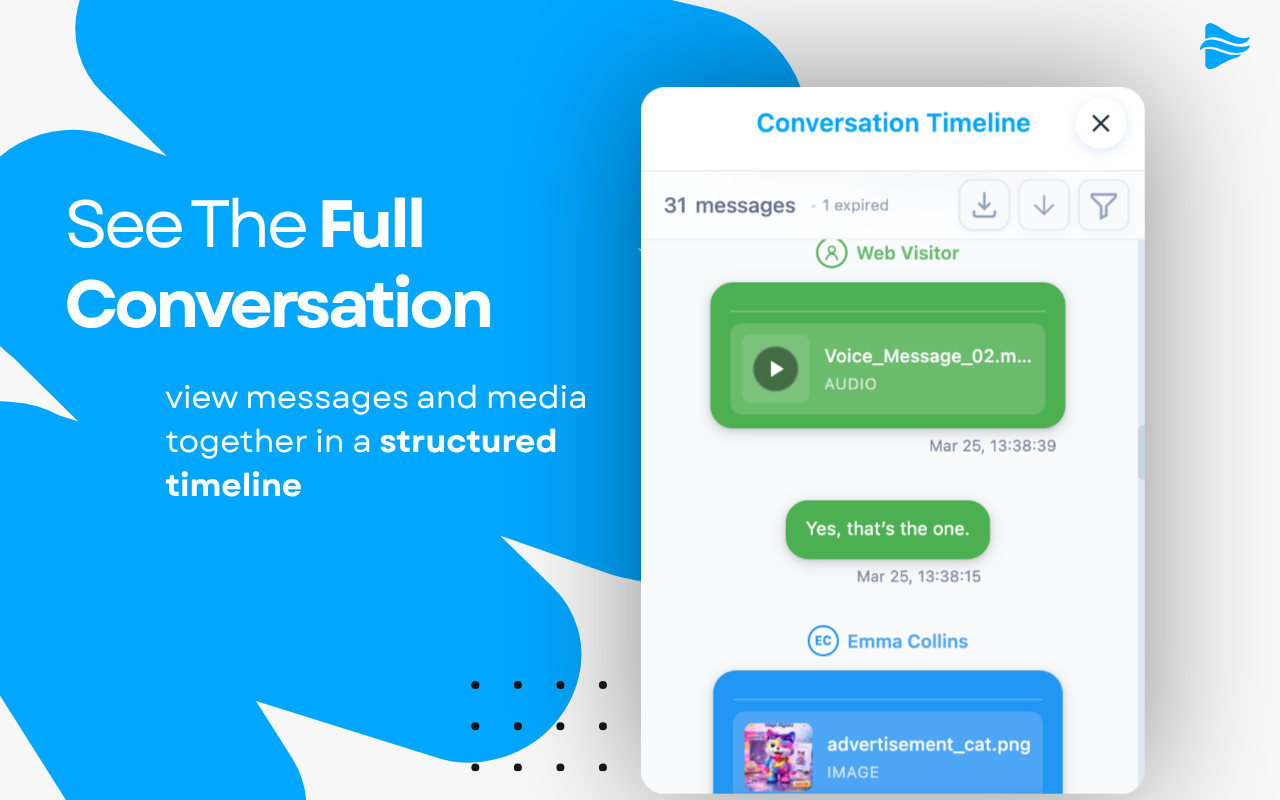
See the full conversation, then turn the customer’s request into the next step without retyping it.
Let AI write the reply, send customer files to your CRM, and reply from the conversation in the customer’s language.
Let AI draft the next message, or polish the one you started, in the customer's language and your team's tone. Review it and send.
Read moreSend the invoices, photos and documents a customer shared straight to your own system in one step, without downloading and uploading again.
Read moreAnswer from Live Conversations or straight from the conversation's message history, right where you are reading.
Read moreWrite the answer in your own language, read the translation, and send it in theirs.
Read moreWorks across every channel & format
Context, messages, and files in one place, so agents reply faster and with more confidence.
Messages, files, and context stay together inside Genesys Cloud, so agents never lose the thread to work a file somewhere else.
See who you're helping, what already happened, and what needs attention next, so every reply starts from the full picture.
Works across messaging, email, social, SMS, and other Genesys Cloud interactions. Voice calls and callbacks are supported too. Conversations can be in any language. Mediabriz is available in multiple languages.
Turn a customer request into a structured action, let AI draft the reply, or send the files they shared straight to your systems.
Compare images and documents side by side to quickly identify differences across conversations.
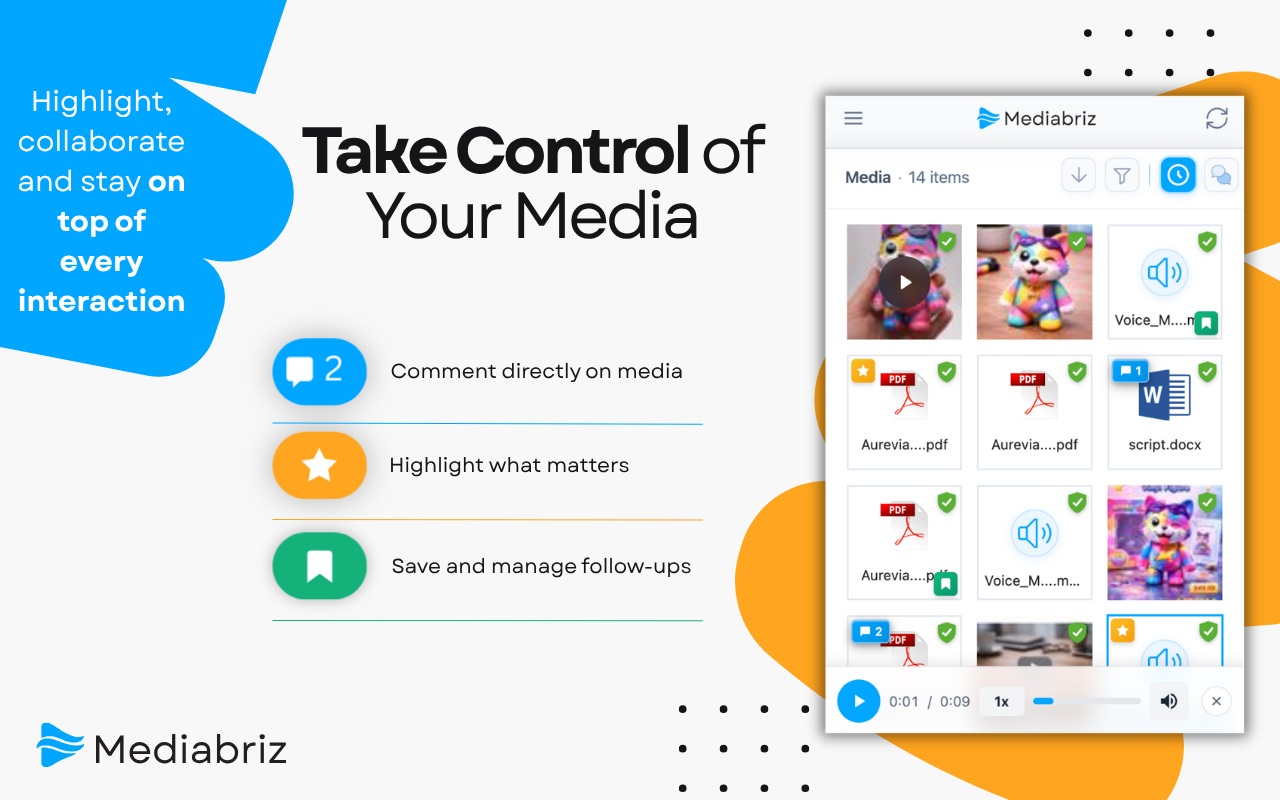
Highlight important details so nothing gets missed when the next person picks up the conversation.
Save conversations or files for follow-up and manage everything in one place.
Export a complete conversation to PDF for documentation, review, or sharing.
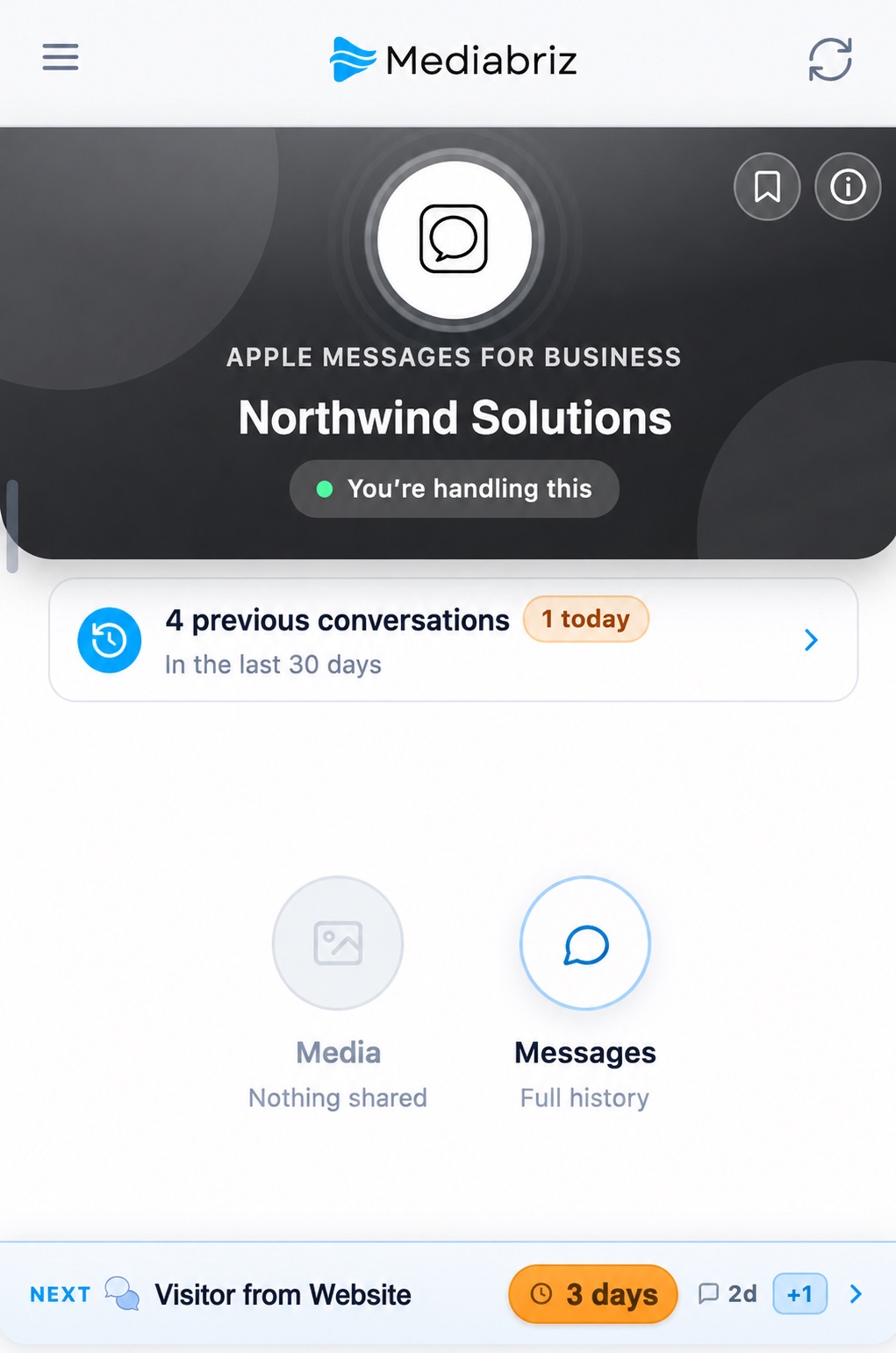
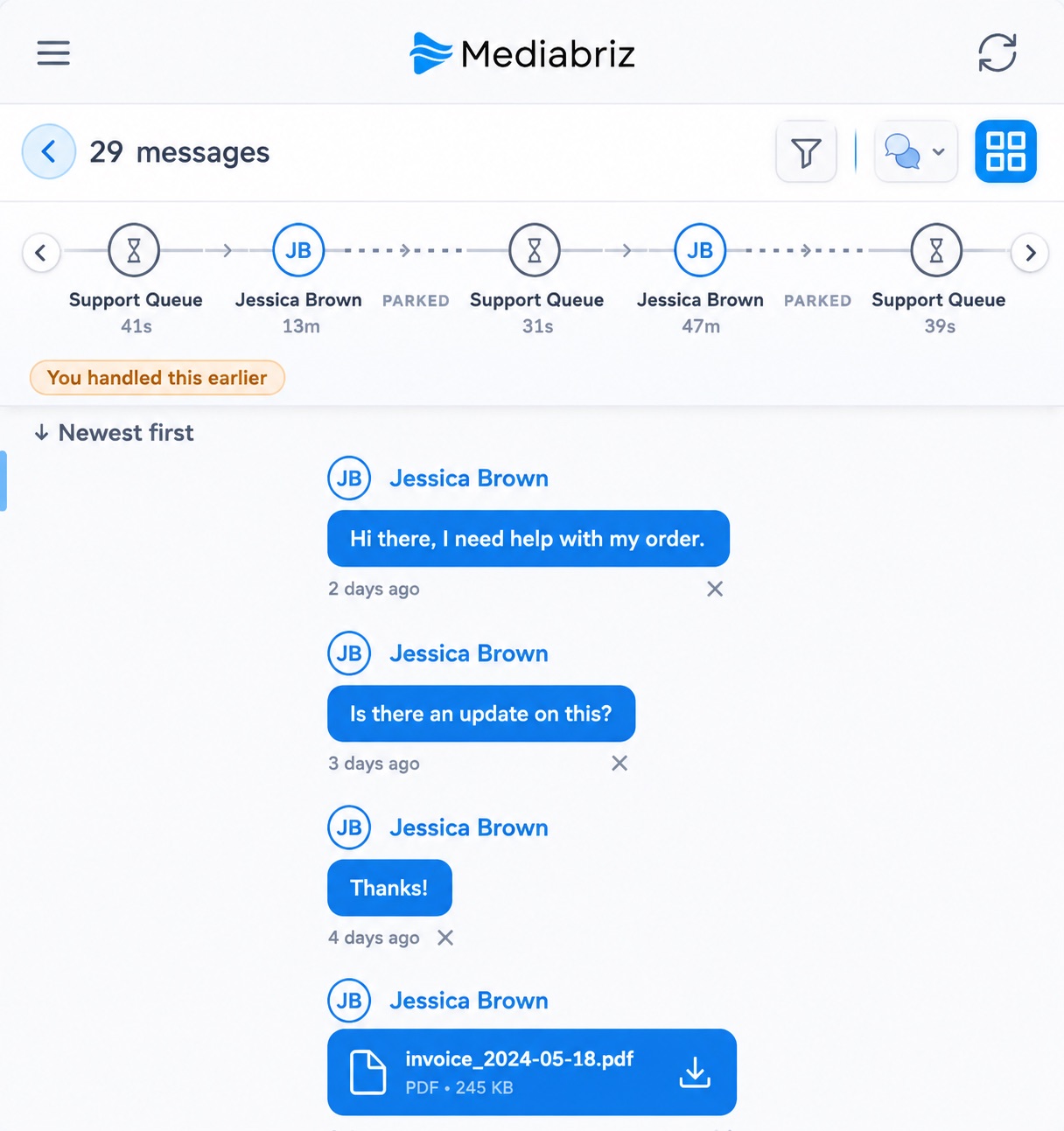

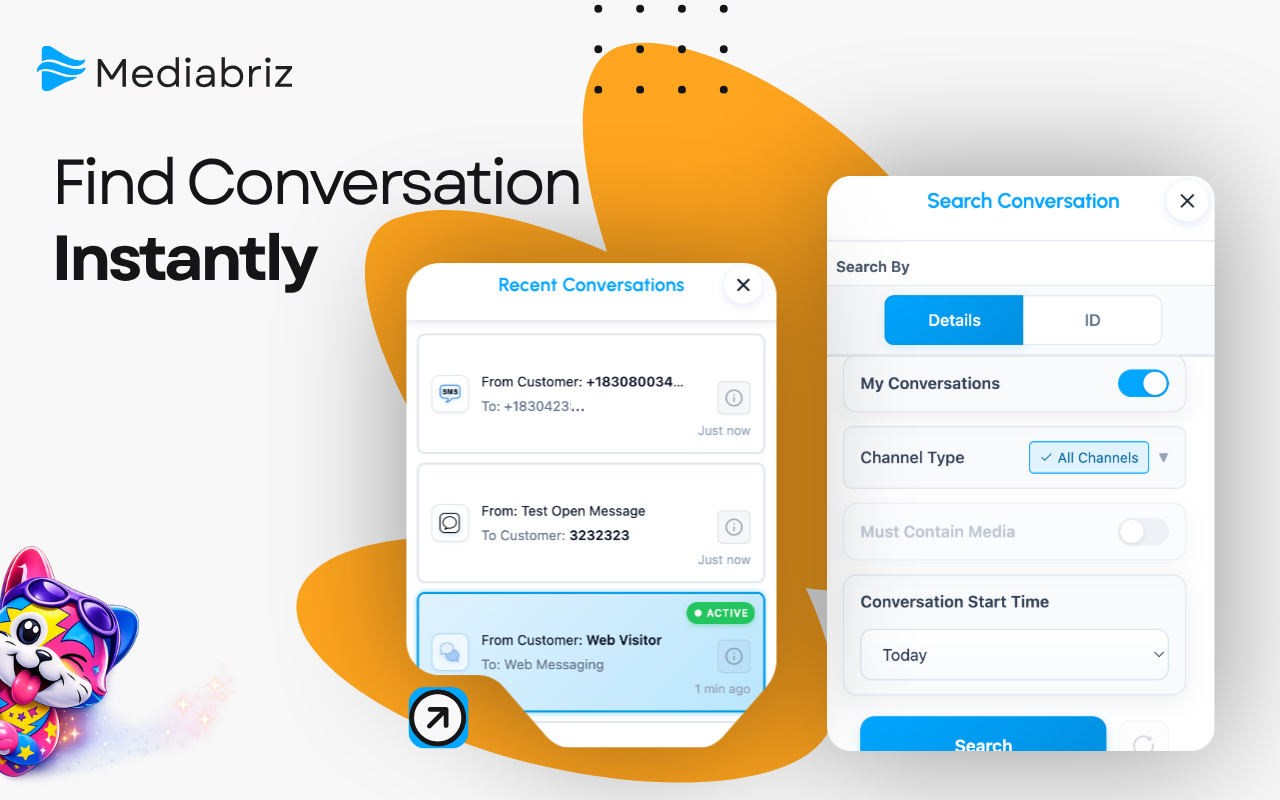
See all your live conversations in one place, with the longest-waiting customers first, and always know which conversation to work on next while you handle the current one.
Get a subtle heads-up the moment a customer replies on another conversation, so a waiting message never slips by unseen.
Answer from Live Conversations or straight from the conversation's message history, right where you are reading.
Get the next message drafted, or the one you started polished, in the customer's language and your team's tone. Review it and send.
Write the answer in your own language, read the translation, and send it in theirs.
Understand any message instantly. Translate it into your language or have it read aloud, right from the conversation.
Your agents approve every send: an AI draft, a suggested reply, or the files a customer shared.
Each action type is its own solution, with the fields and systems that work requires.
Subject to fair usage.
Mediabriz reads the conversation and drafts a structured result shaped for that action type, ready for your agent to review.
A side-by-side review shows the draft next to the messages it came from. Every line is editable, and nothing is sent without explicit agent approval.
Every action type gets its own solution: the fields, the review, and the delivery that work requires, from orders and returns to service cases.
Send the invoices, photos and documents a customer shared straight to your own system in one step. The agent chooses the files and confirms.
One click in the reply box and AI Reply writes the next message from the conversation, or turns your agent’s rough note into a clear, friendly answer. Your agent reads it, makes it their own, and sends.
See AI ReplyFor teams that sell or take returns in chat, each action is built for that work, not a generic extract. An order includes the elements an order must have. A return includes the elements a return must have.
Orders
Returns
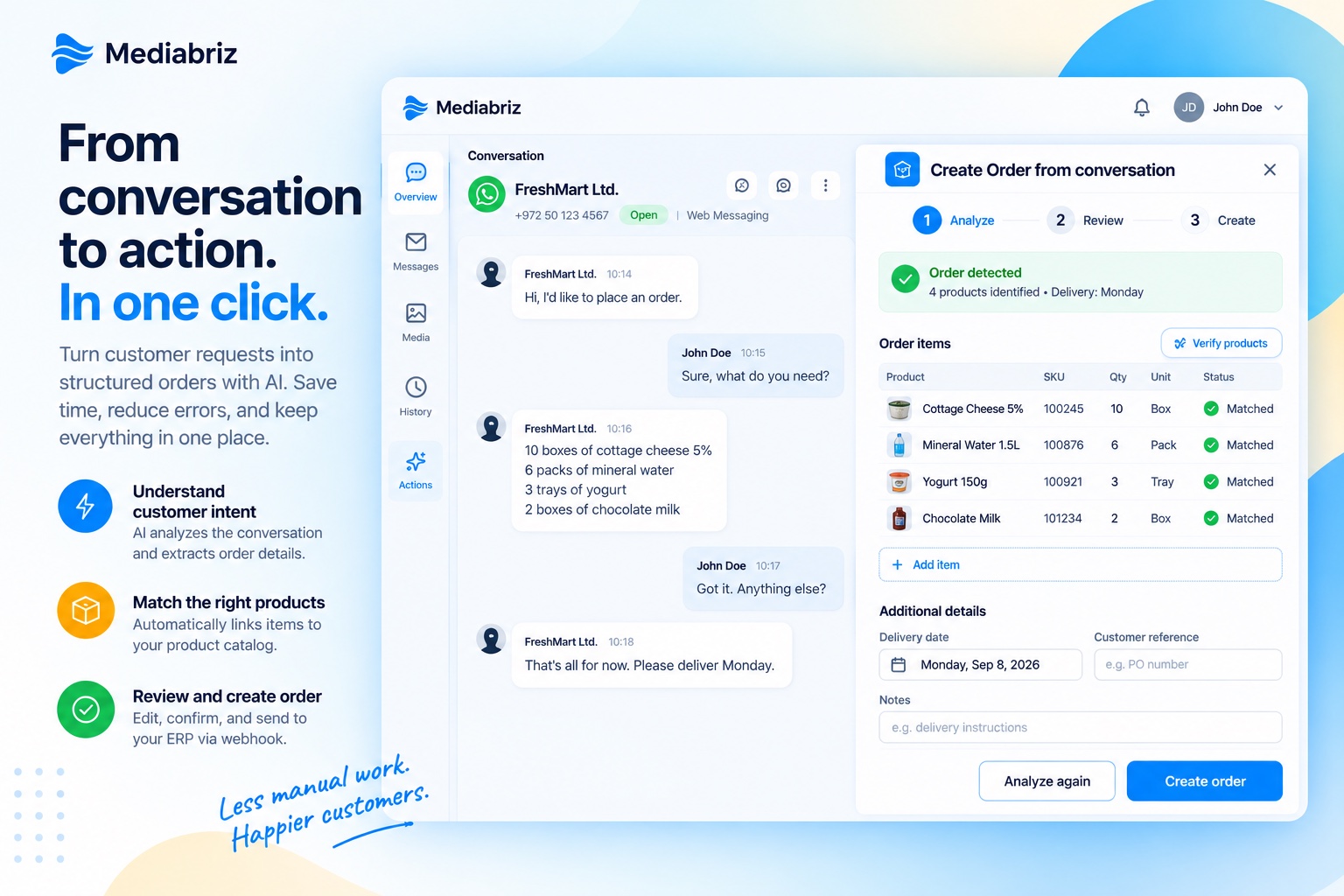
Nothing is ever sent on its own: an agent reviews and approves every action before it reaches your systems or your customer. Conversations are analyzed transiently and never stored by Mediabriz. No matter what language the conversation is in, the AI can still create the draft, even when the customer and the agent each use a different one.
Read the announcements: Create Order for teams that sell in chat, Create Return for teams that take returns in chat, actions tailor-made for your workflows, Send Files to CRM, and AI Reply for the right words in every language
From everyday interactions to deeper investigations and security protection, Mediabriz helps teams understand conversations and take the next step.
Handle. Investigate. Act. Protect.
Act: let AI draft the reply, turn a request into an order, or send their files to your CRMAcross channels, customers share messages, images, documents, and more. Mediabriz keeps the conversation structured, accessible, and ready to act on, without losing context.
See who the customer is and whether they've written before, before diving into files
Reply from the conversation window, and send the answer in the customer’s language
Each conversation has its own organized media view
Access and work with files instantly during live interactions
Navigate and review media directly alongside the conversation's messages
Highlight key media and add comments to keep teams aligned
Result: Faster handling and better context.
When handling cases, teams often need to review multiple files to understand what changed, what’s missing, or what needs action.
Compare images and documents side-by-side to spot differences instantly
Review videos with frame-level precision and capture key snapshots
Listen to audio while continuing to work, without switching views
Analyze media instantly, no downloads or external tools required
Result: Faster investigations and clearer insights.
Customer files can carry risk. Mediabriz Guard screens them before an agent opens them, and alerts the team if something is flagged.
Every customer file is scanned before an agent can preview or download it
Live in-app alert the moment a file in the conversation is flagged
Email alerts keep the team informed when new threats arrive
Review flagged files safely in Mediabriz, with no download needed
Result: Safer file handling with no extra steps for agents.
See Mediabriz GuardLess time per conversation
No guesswork
Reduce effort and move faster
File Analysis and Protection
Screen customer content and stay ahead of threats
Customer files are screened before agents can preview, download, or interact with them. When something is flagged, you get live updates in the agent experience, plus email alerts when new threats arrive.
Every file is checked before an agent can open it.
Flag risky files before an agent opens them.
Get an immediate in-app alert when a file in the conversation is flagged, even with Mediabriz tucked away.
Receive mail alerts when new threats arrive, so teams stay informed beyond the agent desktop.
Never miss a threat
A clear in-app alert surfaces the moment a file in the active conversation is flagged, so agents can review it safely in Mediabriz instead of downloading from Genesys. For broader awareness, Guard can also send email alerts when new threats arrive.
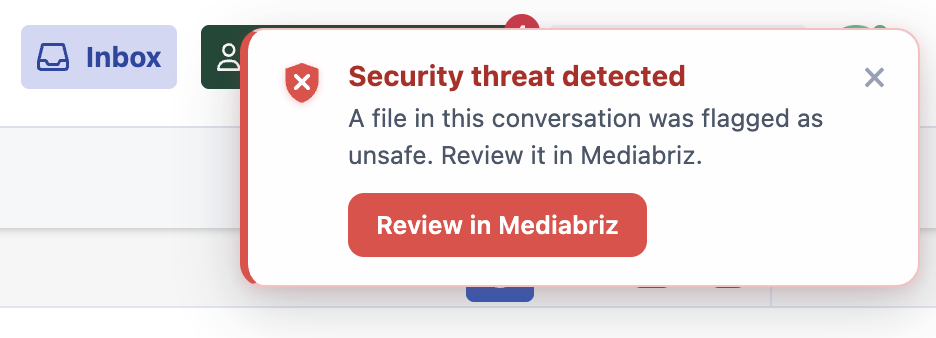
Customer-uploaded files are scanned before the agent can preview, download, or drag them out. Files identified as potentially malicious may be restricted from preview or download. Clean results are cached after the first scan, with no extra wait and no extra clicks, helping improve visibility into potentially risky customer files across the organization.
Hosted on AWS and built for Genesys Cloud. How Mediabriz handles security
Guard enhances Mediabriz Insights with additional analytics and organization-wide visibility into scan activity, detected threats, flagged files, and security trends.
Usage Analytics Dashboard
Gain visibility into customer content activity
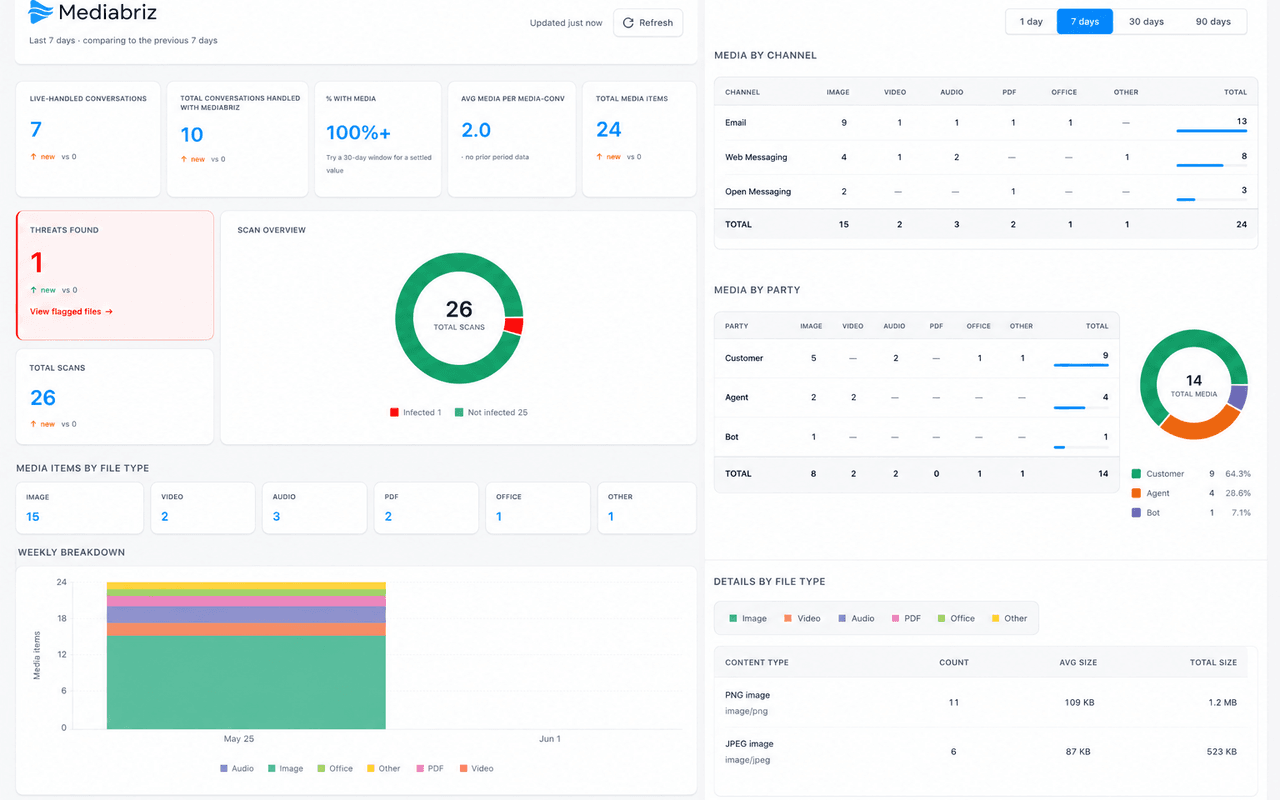
Organization-wide analytics dashboard with visibility into conversation activity, media usage, file types, channels, and security insights.
Track conversations handled and media items rendered across any reporting period.
Analyze media by file type, channel, and participant.
Expand visibility with scan activity, threat detection, and flagged files.
Every Mediabriz organization gets usage analytics out of the box. Add Mediabriz Guard to gain visibility into scan activity, detected threats, flagged files, and security trends across the organization.
See Mediabriz Guard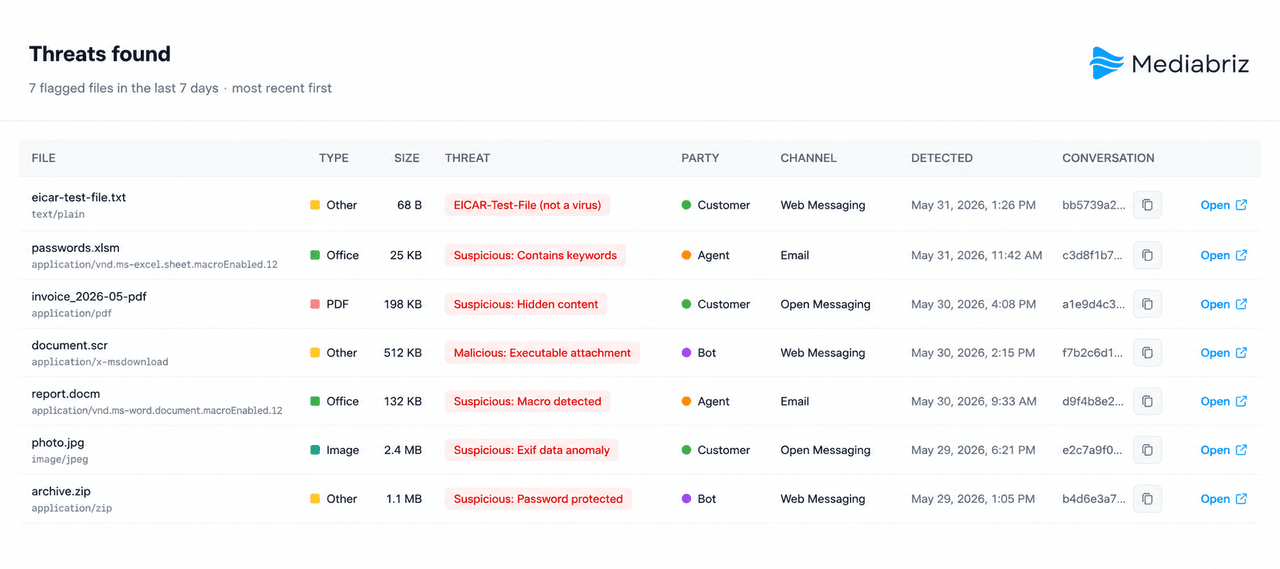
Mediabriz Insights can be accessed directly or launched from within Genesys Cloud and is available to any user assigned the required permission.
Explore conversation context, file protection, and everyday agent workflows.
A short introduction to Mediabriz

See the full conversation, messages and files in one place

Find the conversations that matter, fast

See who is waiting and which conversation to handle next

Comment, highlight, and manage follow-ups

Track and act on saved items across conversations

Mark up documents and images in place

Queue and play conversation audio in order

A quick walkthrough of Mediabriz
Have questions about Mediabriz? We're here to help. Send us a message and we'll get back to you shortly.