See how a conversation reached you
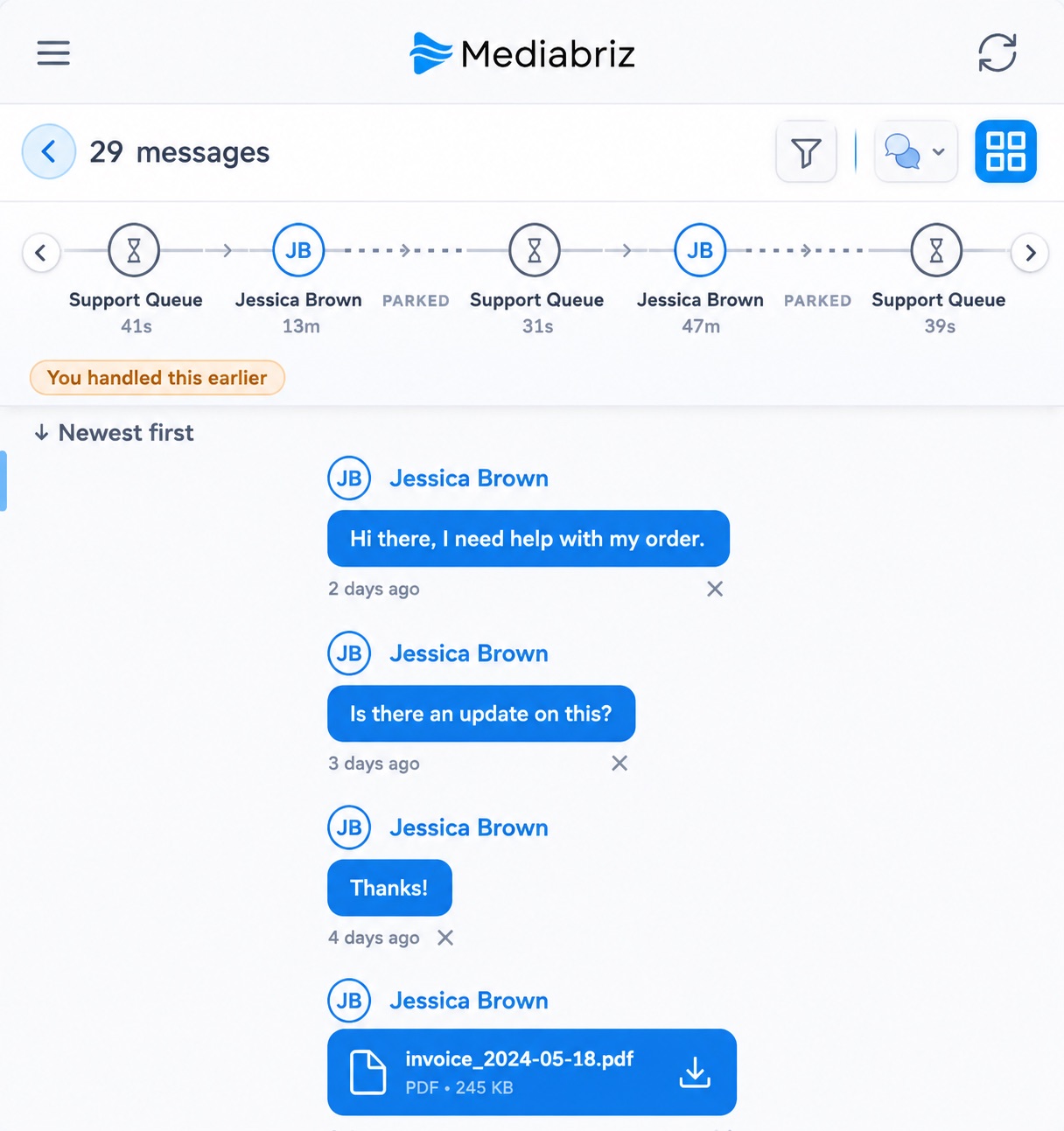
When you open Messages, Mediabriz can show the path a conversation took (customer, automation, queue, and agents) so you know what already happened before you reply.
When a conversation is handed to you, it often already has a history: a bot that greeted the customer, time in a queue, maybe another agent before you. Until now, piecing that together meant scrolling and guessing.
The path, at a glance
Above the messages, you can follow the steps that matter: the customer, automation, the queue (by name), and every agent who handled the conversation, with how long each step took.
Built for handoffs
If you inherit a conversation mid-thread, you can see whether a human already handled it, how long the customer waited in queue, and where you sit in the path, without reconstructing the story from timestamps alone.
Connected to the messages
Click a step to jump to that part of the conversation. Scroll the messages and the path stays in sync, so you always know where you are in the story.